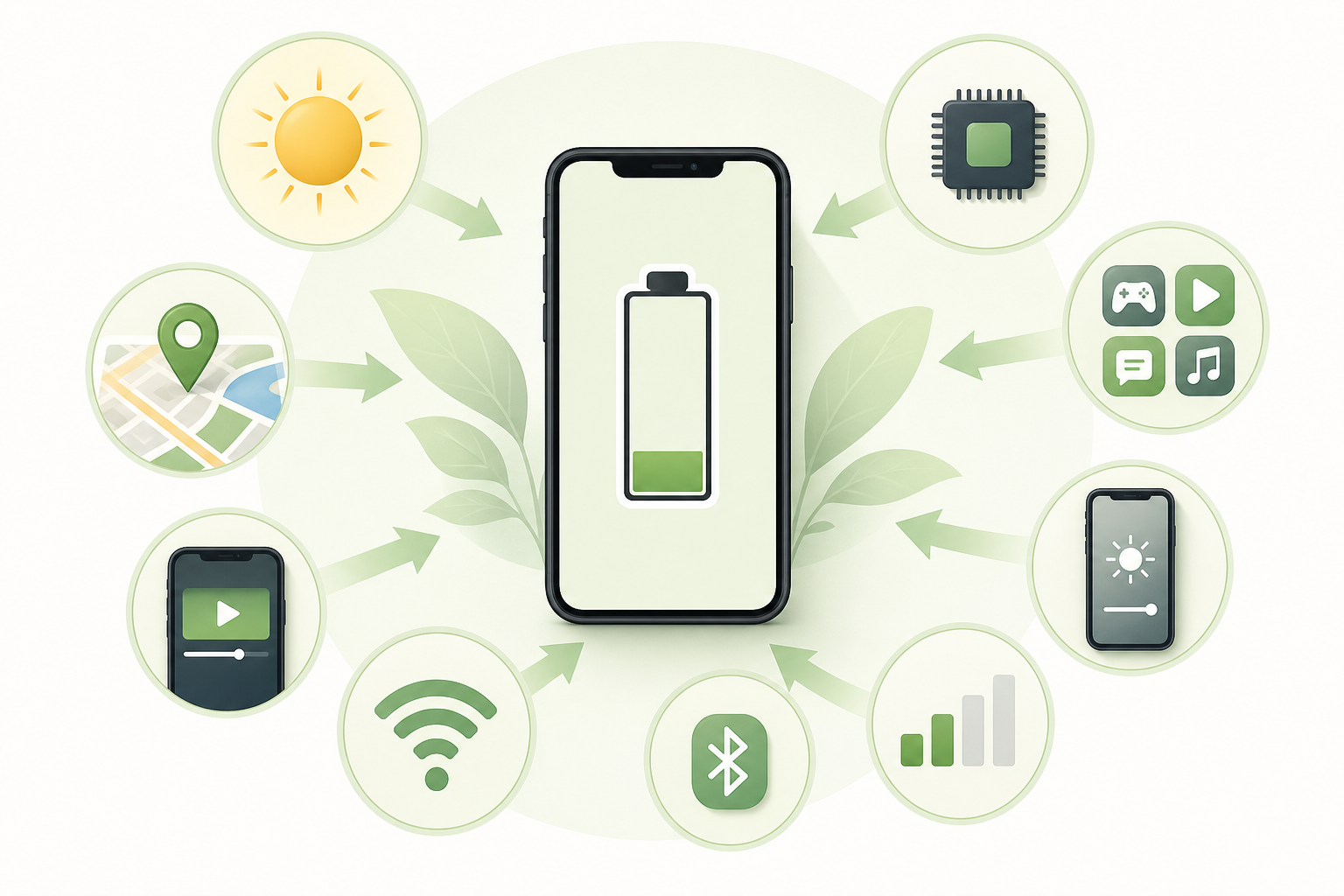
Phone batteries drain quickly due to high energy consumption influenced by many factors like background app activity, screen brightness, and constant connectivity. Understanding these elements illuminates why your battery fades fast and empowers you to adopt better habits that extend its life.
- Start here for phone battery life
- What is actually happening behind phone battery life
- Why the easy answer is not enough about phone battery life
- Where this shows up for phone battery life
- The reader-friendly summary about phone battery life
- What to Separate: Phone Battery Life
- Questions Worth Clearing Up: Phone Battery Life
- Related Explanations: Phone Battery Life
- References Behind the Answer: Phone Battery Life
Start here for phone battery life
Your phone battery drains quickly because of energy-intensive activities. Background apps, high screen brightness, and network connectivity all significantly impact battery performance. By managing these factors, you can significantly improve battery life, ensuring your device stays charged throughout the day.

Original AI-generated educational image for Why Science Daily.
What is actually happening behind phone battery life
Smartphone battery drain stems from various sources of energy consumption, each affecting overall performance in different ways. A significant factor is **background applications**. Many applications continue to operate in the background, refreshing content and fetching data, even when they appear to be closed. For example, social media applications often refresh data every couple of minutes, consuming substantial battery power. Research from MIT indicates that limiting active background apps can considerably cut down on energy expenditure, enhancing battery longevity. Users can manage app settings effectively, opting to restrict background activity or disable auto-refresh features when suitable.
In addition, **screen brightness** emerges as a critical component in power usage. Smartphone displays typically account for a major portion of total energy consumption. When set to a higher brightness level, power usage escalates significantly. Utilizing settings like auto-brightness allows devices to adjust display intensity according to surrounding light, saving battery life. Furthermore, techniques such as adopting dark mode themes or lowering brightness levels can further improve power efficiency, especially in dim environments. The potential gains in battery life can be substantial.
Another vital determinant is **network connectivity**, which requires considerable energy to maintain. Smartphones constantly need to be connected to the internet, frequently pinging either Wi-Fi or cellular networks to uphold a connection. In areas with poor cellular reception, the device utilizes more energy seeking signals, which increases battery drain. Engaging airplane mode while in regions with weak reception can help safeguard battery life by halting search efforts and minimizing energy waste.
Moreover, the **health of the battery** influences its performance significantly. Most smartphones utilize lithium-ion batteries, which degrade over time, leading to a reduced capacity to hold a charge. Users should check their battery's health via device settings—if frequent unexpected shutdowns or rapid battery drain occur under minimal use, it may signal a battery replacement need. Environmental factors also contribute to battery health; extreme heat can curtail battery lifespan, while cold temperatures can temporarily diminish its performance.
Being aware of these variables composing smartphone battery life empowers users to implement better strategies. Minimizing unnecessary background processes, adjusting screen brightness settings, and practicing network-efficient operations collectively lead to improved device longevity. Simple changes, such as turning off Bluetooth when it's not in use or avoiding live wallpapers can extend battery life significantly, enabling smoother technology use throughout daily routines.

Original AI-generated educational image for Why Science Daily.
Why the easy answer is not enough about phone battery life
A noteworthy misconception involves the belief that leaving a phone plugged in overnight is damaging and leads to quicker battery drain. Nevertheless, modern smartphones are designed with advanced charging technologies that protect against overcharging once the battery reaches full capacity. While using heavy applications during charging might slow down the charging process, it is generally safe to leave devices plugged in overnight, allowing users to enjoy peace of mind regarding their charging habits.
Another common myth revolves around the notion that actively closing background apps can prolong battery life. The reasoning is straightforward: if apps are not running, then they won't consume energy. Surprisingly, this isn't typically true. Closing and reopening apps can use more energy than keeping them active in the background. The operating systems of smartphones are crafted to manage background tasks efficiently, meaning that forcefully shutting down apps can lead to increased energy expenditure overall. Constantly reopening them can put unnecessary strain on resources and increase battery drain over time.

Original AI-generated educational image for Why Science Daily.
Where this shows up for phone battery life
Imagine a university student at a cafe, consistently checking social media alongside using GPS for navigation. The phone's screen brightness is set high to counter overhead lighting, significantly increasing its power demands. This individual remains connected to Wi-Fi and has various applications running simultaneously, leading to rapid battery depletion.
In contrast, consider another user during their daily commute who only sends text messages and keeps screen brightness low. They activate Wi-Fi or cellular data only when needed, conserving battery life. Not only does this approach minimize depletion, but it also effectively illustrates how managing usage patterns can lead to significantly better battery longevity. Making mindful decisions about how and when to use features like data and brightness can keep a device functional throughout various daily activities.
The reader-friendly summary about phone battery life
Understanding the fundamental factors contributing to battery drain empowers users to make informed decisions and adopt practical strategies that enhance phone battery life.
What to Separate: Phone Battery Life
| Part | Focus | What to remember |
|---|---|---|
| Main idea | phone battery life | Smartphone battery drain stems from various sources of energy consumption, each affecting overall performance in different ways. A significa… |
| Common mistake | Misconception | A noteworthy misconception involves the belief that leaving a phone plugged in overnight is damaging and leads to quicker battery drain. Nev… |
| Everyday takeaway | Practical meaning | Understanding the fundamental factors contributing to battery drain empowers users to make informed decisions and adopt practical strategies… |
Questions Worth Clearing Up: Phone Battery Life
What are some tips to preserve battery life?
To save battery, reduce screen brightness, disable background app refresh, and limit location services. Each small adjustment plays a critical role in extending battery life.
Does charging my phone overnight harm the battery?
No, modern smartphones have smart charging systems that prevent overcharging. However, using intensive apps while charging can slow down performance.
How can I tell if my battery needs replacement?
If your phone frequently shuts off or experiences significant battery drain under light use, these symptoms may indicate the need for a new battery.
Do darker themes really save battery?
Yes, especially on OLED screens, where black pixels can be turned off completely. Adopting dark themes can help conserve battery life.
Does using airplane mode extend battery life?
Yes, activating airplane mode prevents your device from searching for signals, which conserves battery when reception is poor.
How do background apps affect battery life?
Background apps continuously utilize system resources for updates and data retrieval, leading to increased energy consumption and quicker battery drain.
References Behind the Answer: Phone Battery Life
- Beating battery drain
- Building energy consumption models based on smartphone user’s usage patterns
- Power Consumption – an overview
- Battery Life – an overview
Originality note: This is original educational content from Why Science Daily. Please use the article link when sharing or citing it. This page specifically covers phone battery life.
Keywords: phone battery life, power consumption, background apps, screen brightness, battery health, network connectivity, energy efficiency, smartphone usage